Mars for your desktop.
A shared workspace for the whole task, from understanding the project to reviewing the result.
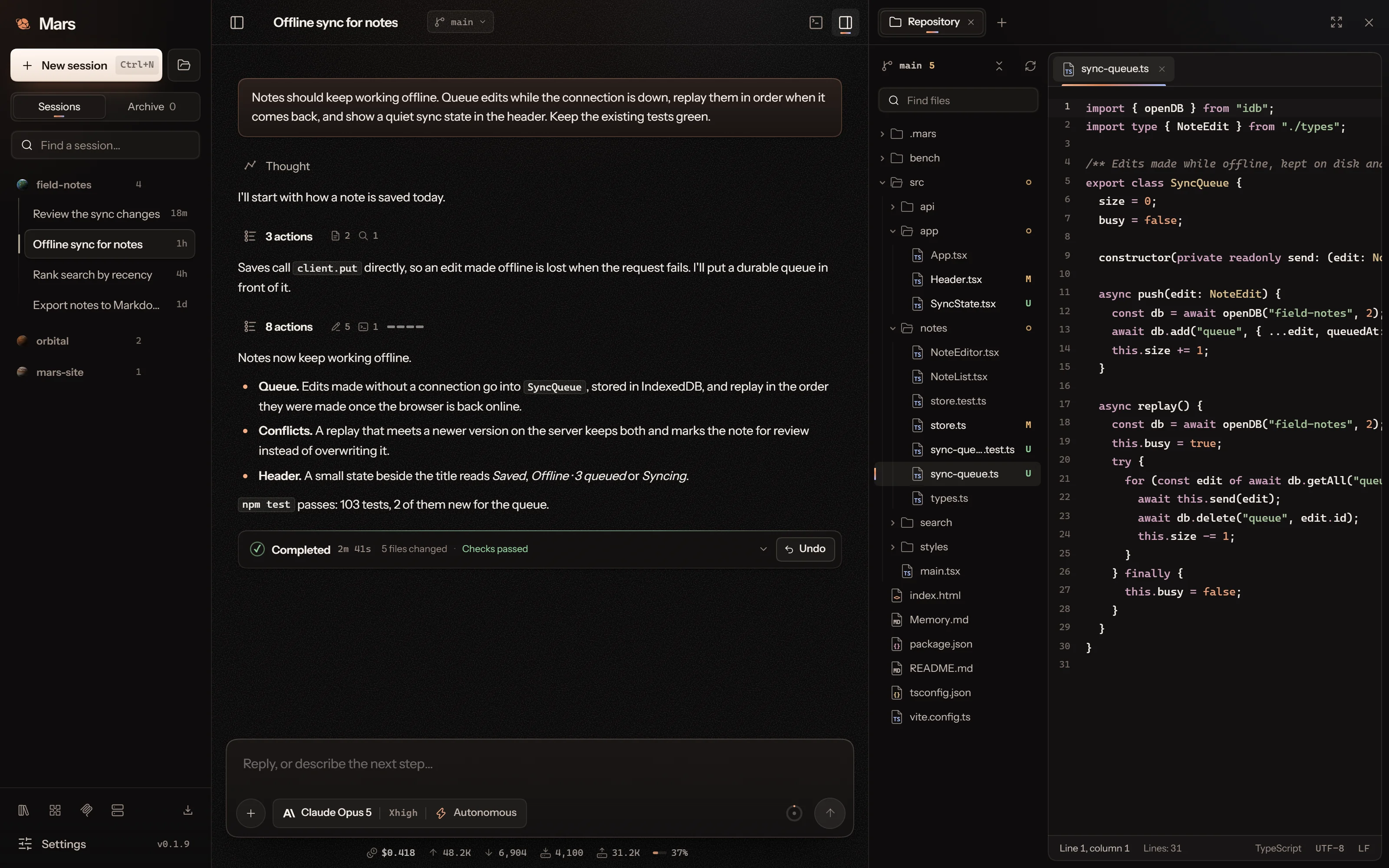
Your project, in one workspace.
Open a project, choose a model and describe the result you want. The conversation, the files the agent touched and what the run cost stay in view, with the repository beside them. Connect a Linux project over SSH using your remote account’s access.
Follow the whole team.
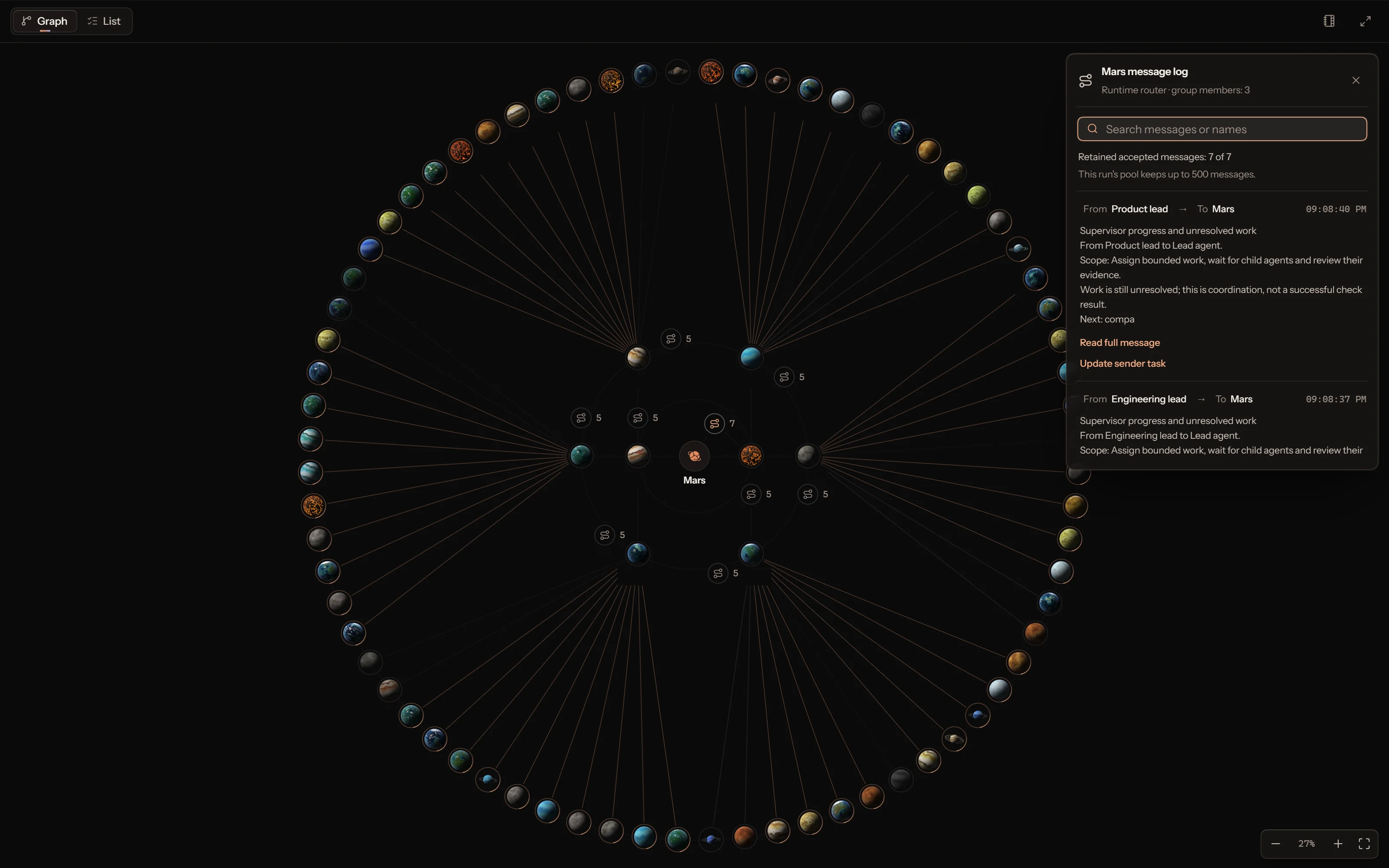
Helpers gather on an orbit map around the lead agent, one ring for each generation. Open any agent to read its work and the messages it received, send it an instruction or stop it.
Explore the interactive simulationTrace the conversation.
Messages travel from sender to a runtime router to the recipient. Open a router to search its message log, read a message in full or open the task it belongs to.
Routed messages carry information; they do not grant tool access.
A book for every agent.
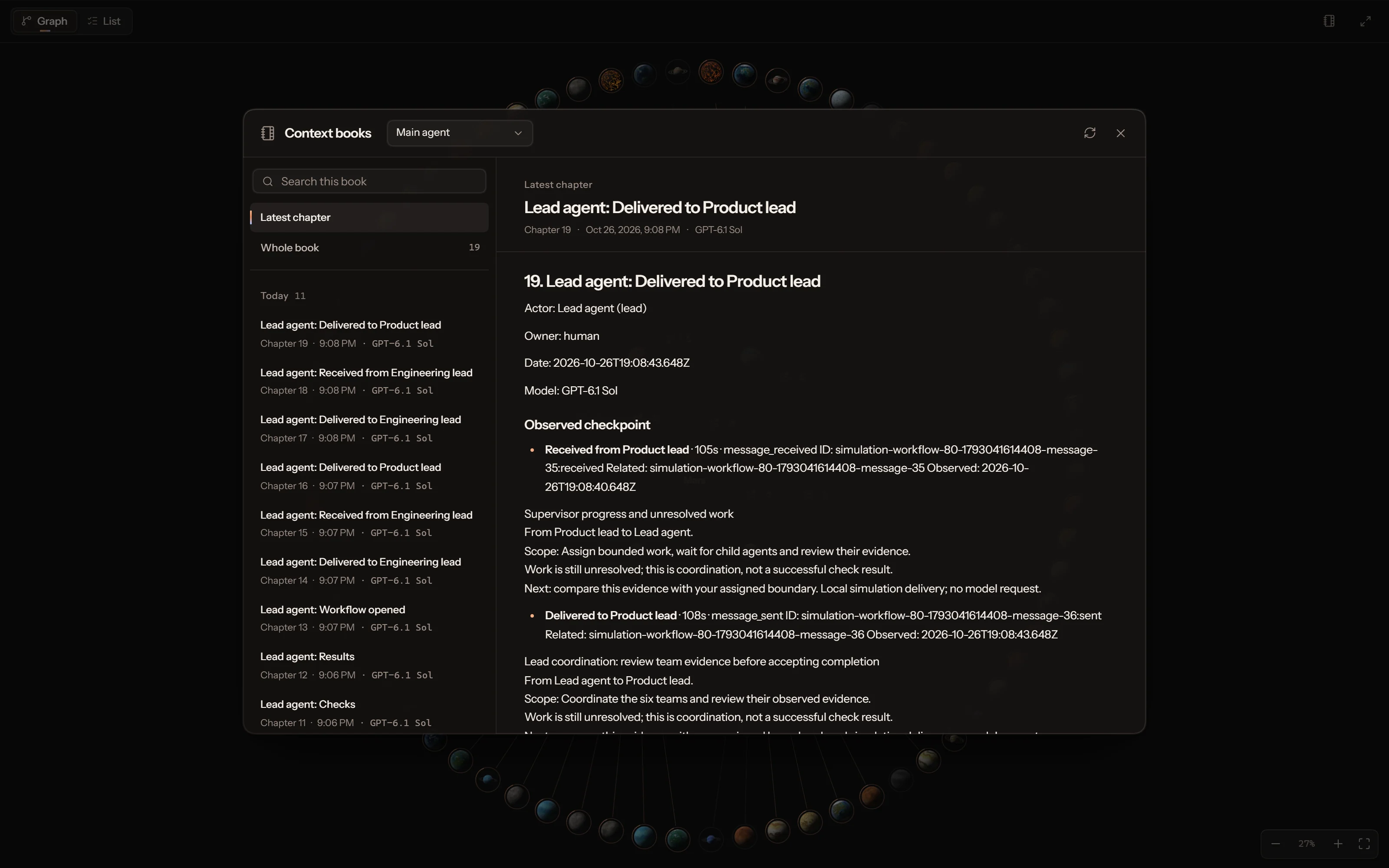
Compacted sessions keep detailed chapters in a context book. Browse chapters by date, search the book and read any chapter in full, with the model and time it was written.
The agent retrieves the passages it needs, so the right context comes back after compaction.
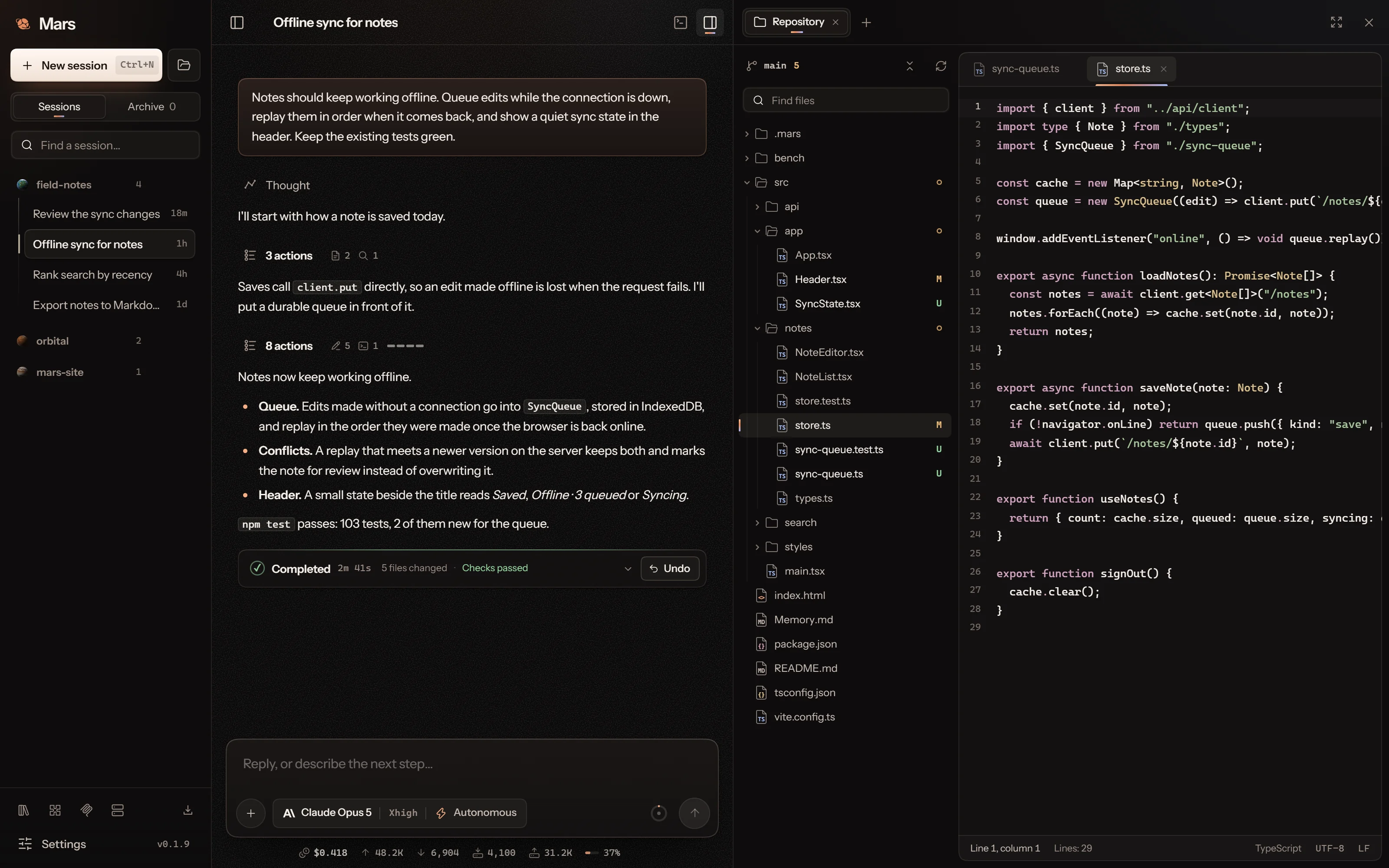
Code editor.
Browse the project with its Git state, open files in tabs and edit them beside the conversation. Compare changes line by line in Git, and open a live page in the built-in browser when the work is a web product.
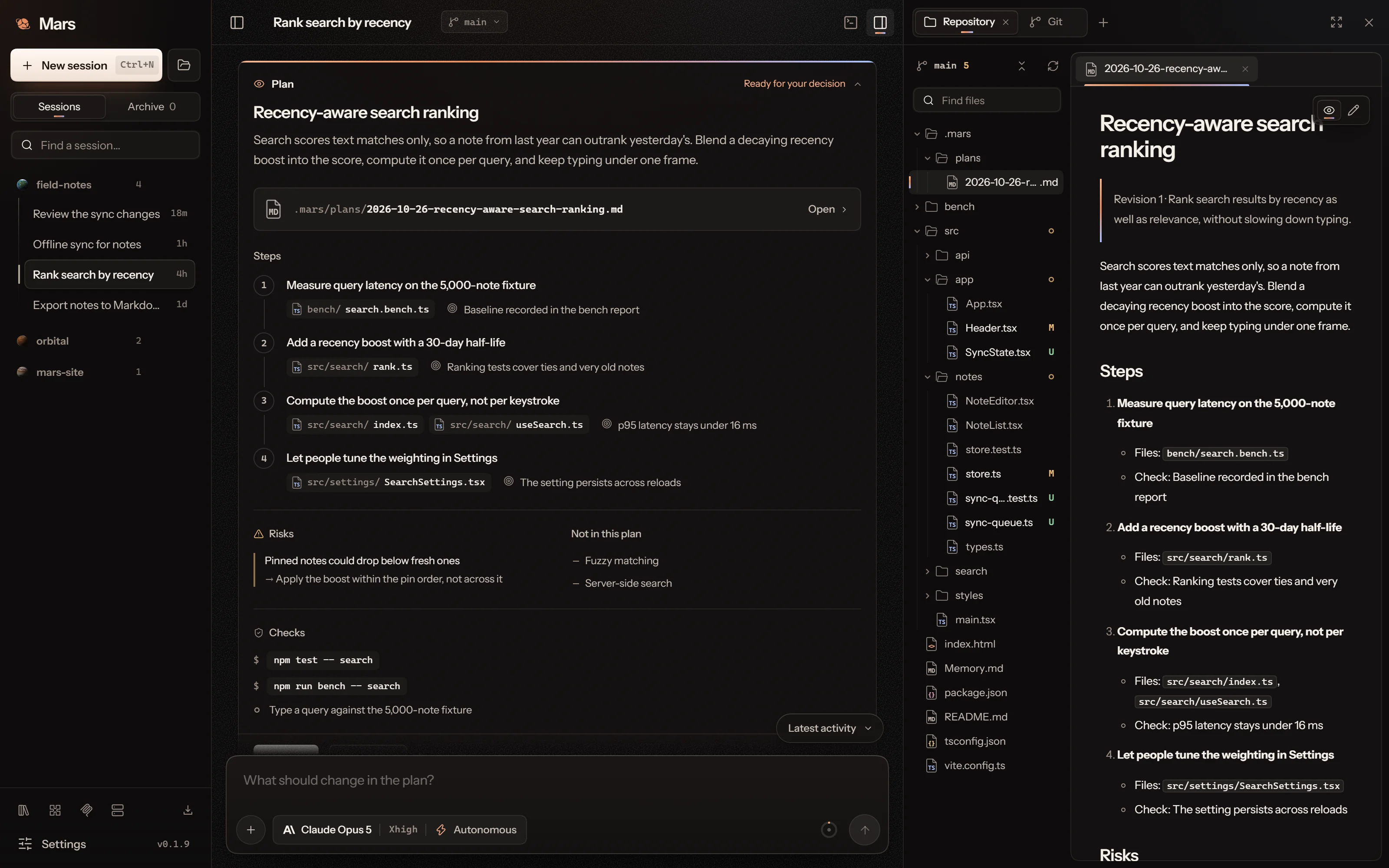
Plans you can read whole.
A plan arrives as a card with numbered steps, the files each one touches and how it will be checked. Mars saves it as a document in .mars/plans that opens in the editor: what the agent found, the approach and the change in each file.
Proceed, run it as a goal with an optional token limit, revise it or deny it.
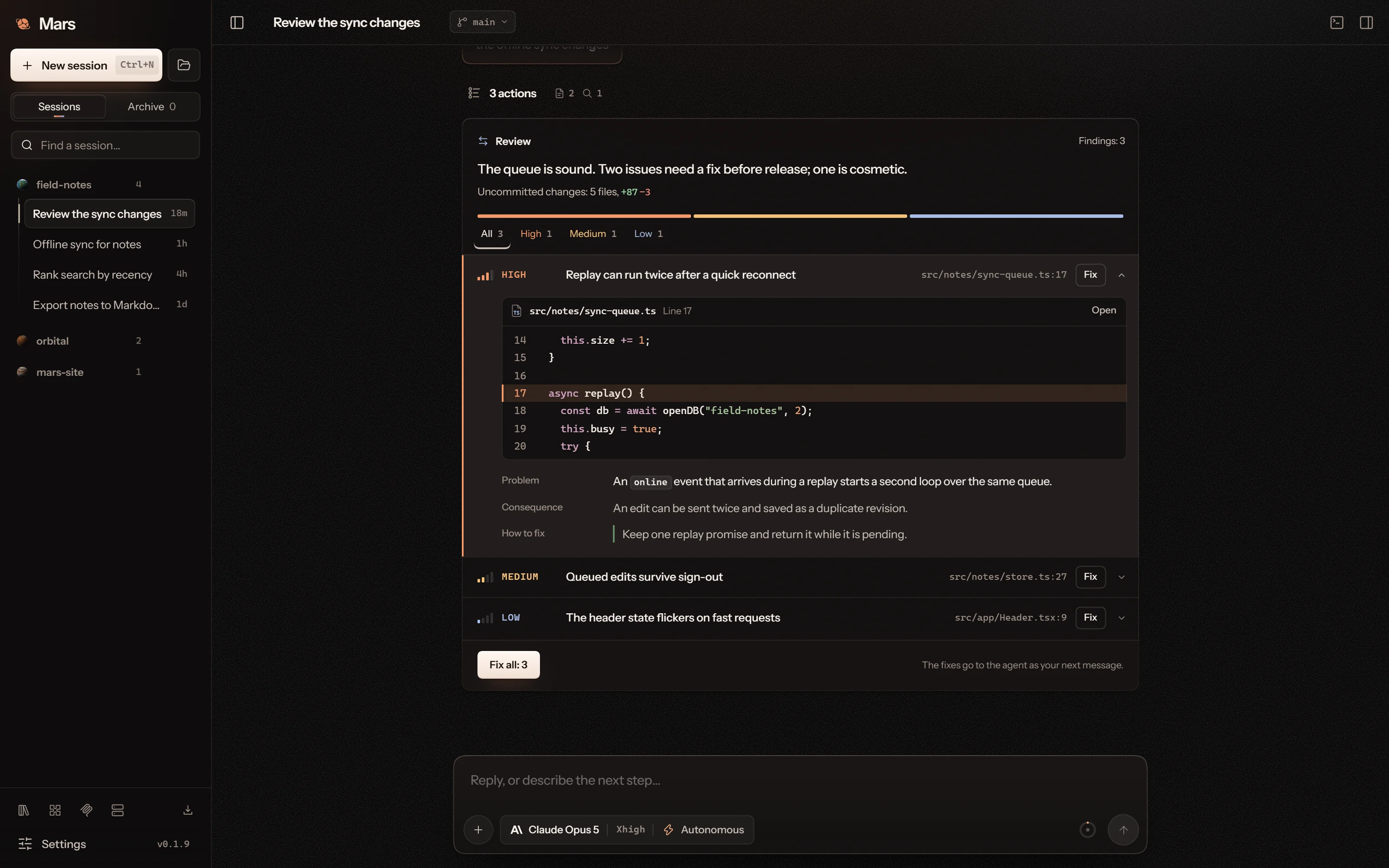
Reviews with the code in view.
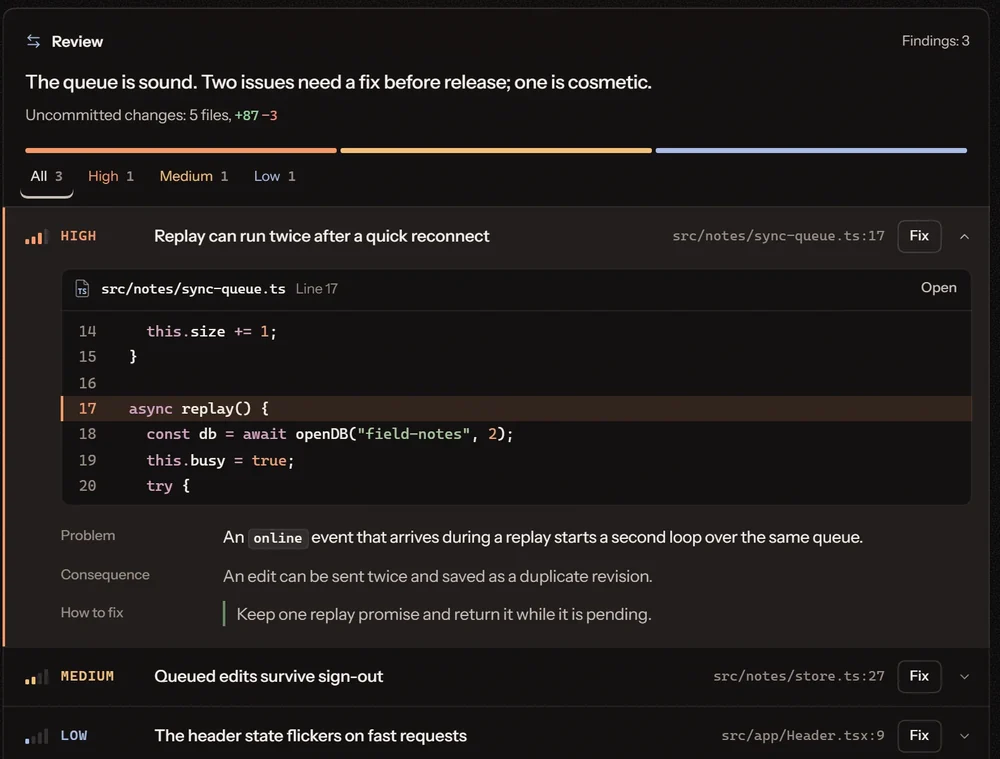
Ask for a review and the findings arrive ranked by severity. Each one opens on the lines it points at, with the problem, its consequence and the direction of a fix, which you send to the agent one at a time or all together.
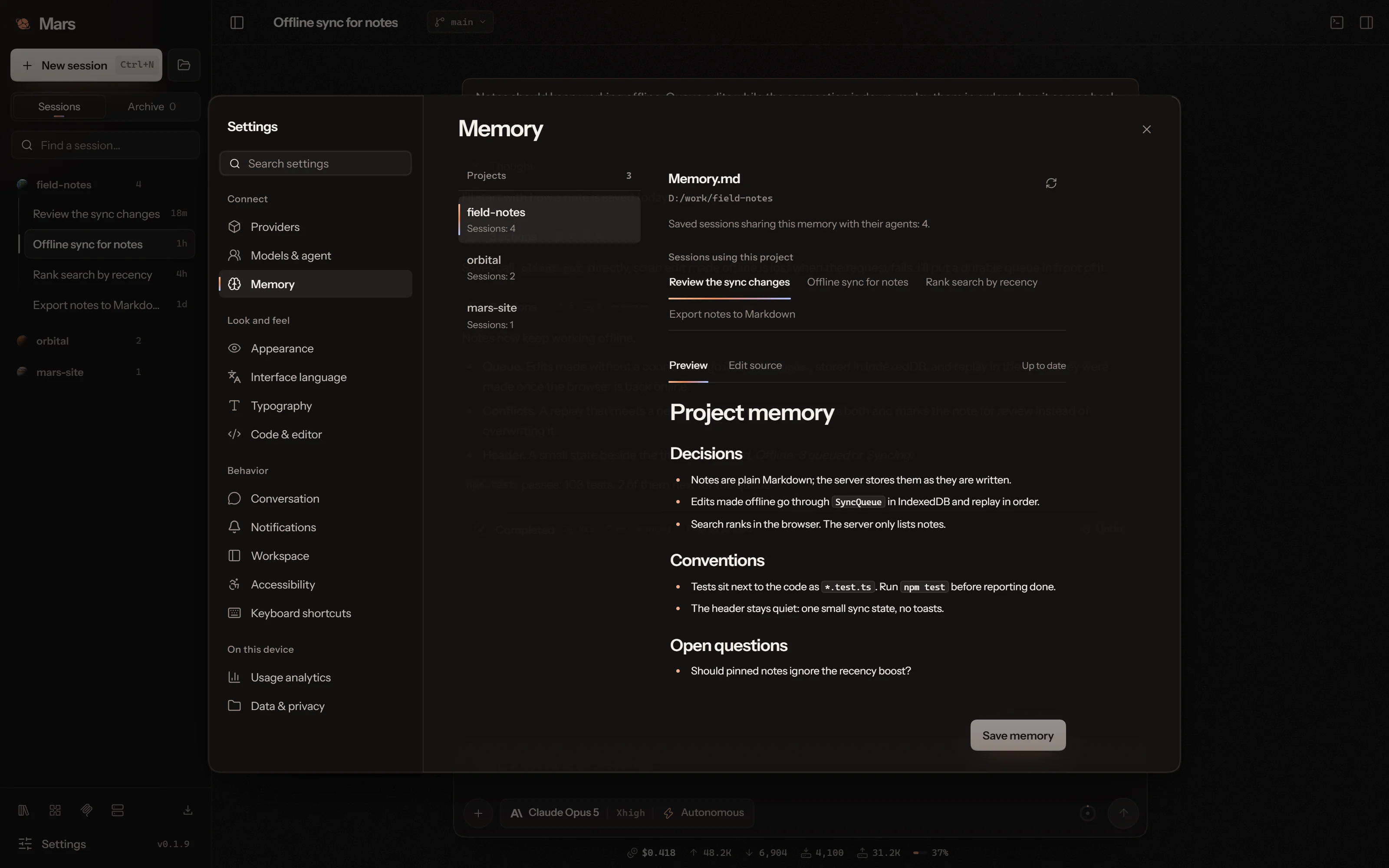
Project memory.
Keep decisions, conventions and open questions in Memory.md. Every session in the project reads it; review and edit it in Settings → Memory.
Your models, your keys.
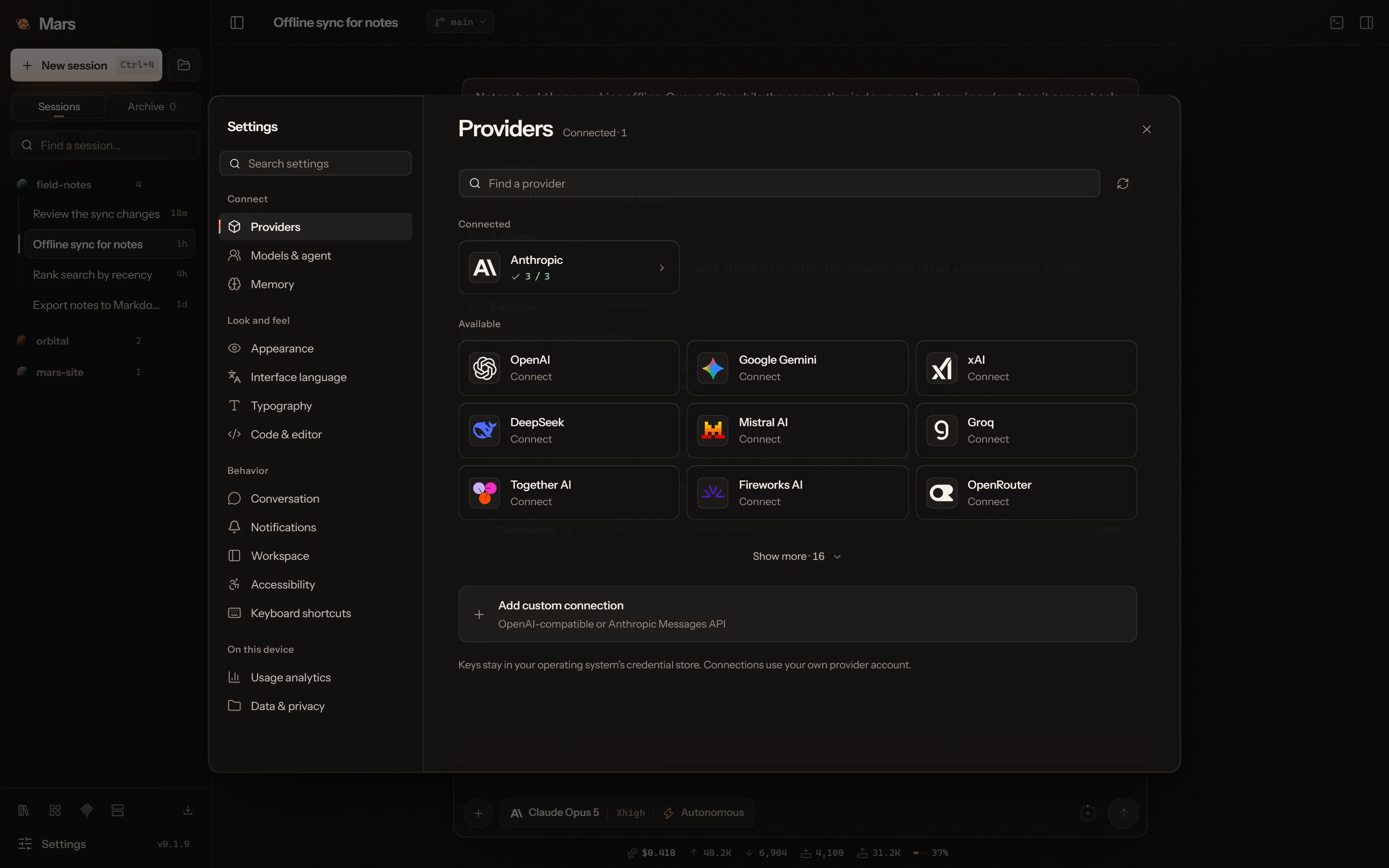
Connect the providers you already use, or any OpenAI- or Anthropic-compatible endpoint. Thirty-six are built in, OpenCode Go and OpenCode Zen among them. Keys stay in your operating system’s credential store. Choose the model and how hard it thinks beside the composer.
Provider usage charges apply.
What a session spends.
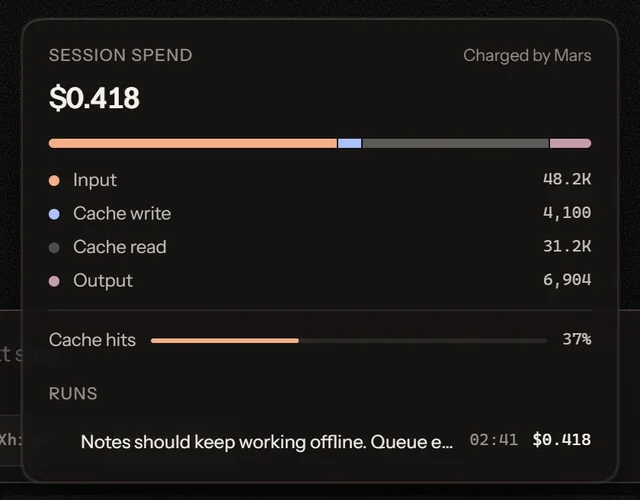
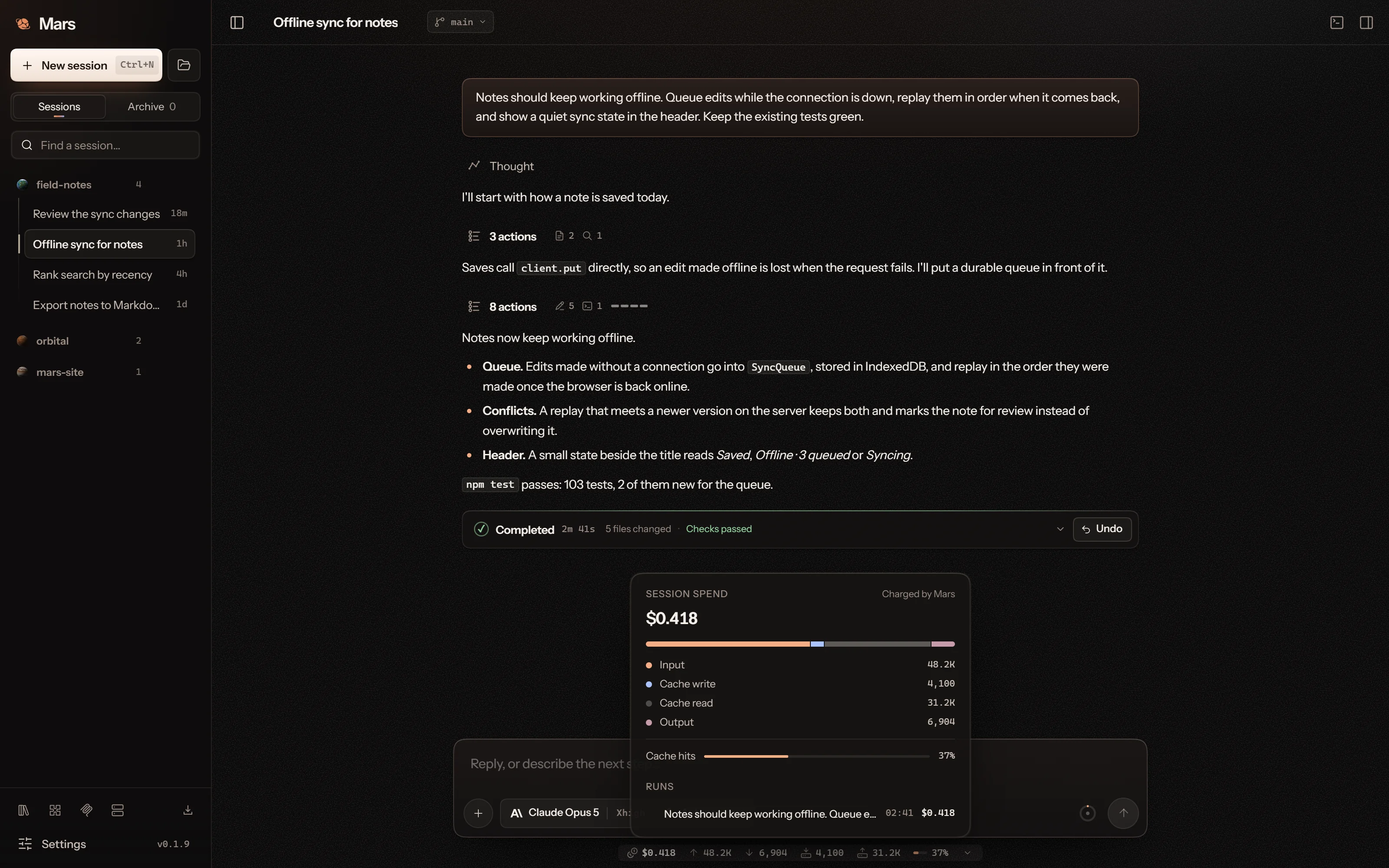
One line under the composer shows the cost in dollars, tokens in and out, cache writes and reads and the speed of the reply. Open it for a breakdown of every run.
Know what you share.
Prompts, project context and tool results may reach your model provider. Permission modes govern approval; connected tools use the access you give them.
Read the privacy policyReview what changes.
Ask Mars to plan project checks, run them and inspect the results in your session. Reports keep failures and unavailable checks visible. Choose the approval mode, review the output and keep project backups.
Get the desktopBring the whole task into view.
Conversation, code, plans, reviews and the agent’s evidence, side by side on your desktop.